Meta recently added a new feature to Instagram that allows users to add another reel link to related reels.
This feature makes it easier for viewers to follow multi-part content without searching through the whole profile. Here is a step-by-step guide on how to use the linked reel feature on new reels and how to edit existing reels to add related reels to them.
What is the Linked Reel feature?
Instagram’s new Linked Reel feature allows creators to link one reel to another, making it easier to form a series or episodic reels. The upgrade also streamlines the viewer experience by letting them navigate through related content and boosts the watch time for creators.
How to link a reel on a new post
- Create the video and upload it on Instagram as a reel as you normally do.
- Select all the editing you want to do and hit next to get to the caption page.
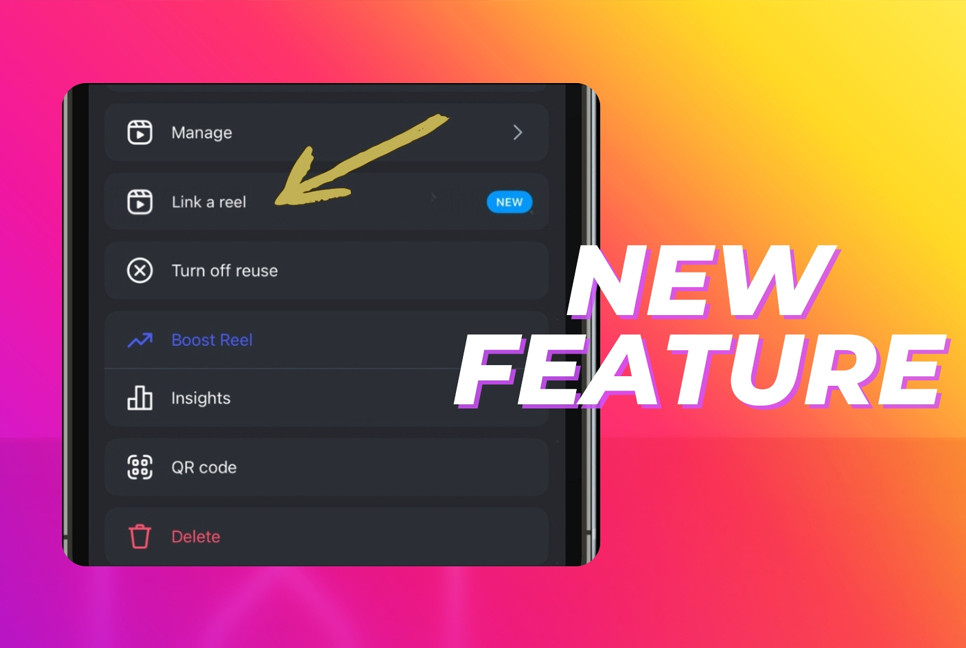
- Here you will find the “Link a reel” feature; tap it to bring up the reel selection page.
- Once you select a reel, it will ask you for a title to add to it. You can skip this; it will default to “Linked Reel.”
- Now publish your reel with the link.
How to link to an existing reel
- Open a reel on your profile and tap the three-dot icon to open the menu.
- Select the “Link a reel” feature, choose the reel from the list, and add a title to it.
- Press “OK” to complete the process.
Editing or removing a linked reel from an existing reel
- To remove or modify a linked reel from an existing reel, open the reel and tap the three-dot menu.
- Select “Edit linked reel.” You can change the title of the related reel.
- You can tap the “Change reel” link to replace the reel with another one.
- To completely remove the linked reel, just tap Unlink and confirm the pop-up to completely remove the linked reel.
The linked reel feature is a server-side update currently being rolled out by Instagram, so it may not be available to all users immediately. Additionally, some users may need to switch their account to a creator or professional account to access the feature.
Source: The Hindustan Times
Bd-pratidin English/ ANI